


🎙️ AUDIO DEEP DIVE OF THIS ISSUE:
Sammy & Mila offer in-depth analysis on each newsletter issue. Subscribe to their podcast.
🧙♂️ TIPS & TRICKS:
📧 The Brutal Truth About Email Overload & How to Solve It
Here’s the reality: Email is guilty. It is draining your productivity and creativity.
Imagine a typical day. How much of it do you spend battling your inbox?
Trying to keep up with incoming messages, carefully crafting replies, marking emails as unread to deal with later, digging through sent messages to find that one thing, weeding out what looked important but turned out to be spam…
Whether you're in a digital-heavy job or one that barely touches tech, emails seem to swallow a huge part of everyone’s day, yet few people seem to complain.
It’s often the things we normalize that drain us the most. Maybe it’s time to re-evaluate these “norms”—email, meetings, instant messaging, reporting, phone calls…
Today, I’m starting with email. In the coming issues, I'll take on the other productivity killers, one by one.
So email; It's a silent killer.
Here's the punchline I want to hit you with upfront about email:
🛑 STOP:
Constantly checking emails
Reacting to every notification
Feeling guilty for not responding immediately
✅ START:
Setting specific times to check emails
Prioritizing critical emails over quick responses
Using tools (like Notion or Slack) for faster internal communication
When you create boundaries around email, you’ll free up time for real, impactful work. Let your inbox serve you, not control you. 🔑
Let’s Deep Dive in Email Problems
We all know the struggle of managing emails. It can feel like a never-ending battle, right? From overflowing inboxes to missed messages, email management can be a real headache.
Here’s a rundown of the most common email problems we face daily:
Email Overload: You wake up to hundreds of emails and wonder how you’ll ever get through them all.
Organization Chaos: Your inbox looks like a digital jungle, making it easy to lose important messages.
Time Drain: You spend so much time sorting through emails that you barely get to your actual work.
Communication Mix-Ups: Misunderstandings happen when threads get messy, leading to confusion.
Tracking Trouble: Keeping tabs on who replied and who didn’t can feel like a full-time job.
Security Worries: Handling sensitive information via email makes you cringe at the thought of potential breaches.
Integration Headaches: Juggling multiple tools without seamless integration can disrupt your workflow.
Collaboration Confusion: Teamwork can suffer when emails aren’t managed well, leaving everyone in the dark.
Meet Your Email Management Heroes!
But don’t worry! There are some fantastic tools out there that use automation and artificial intelligence to save the day.
Check out this handy table of solutions that can help tackle those pesky email problems:
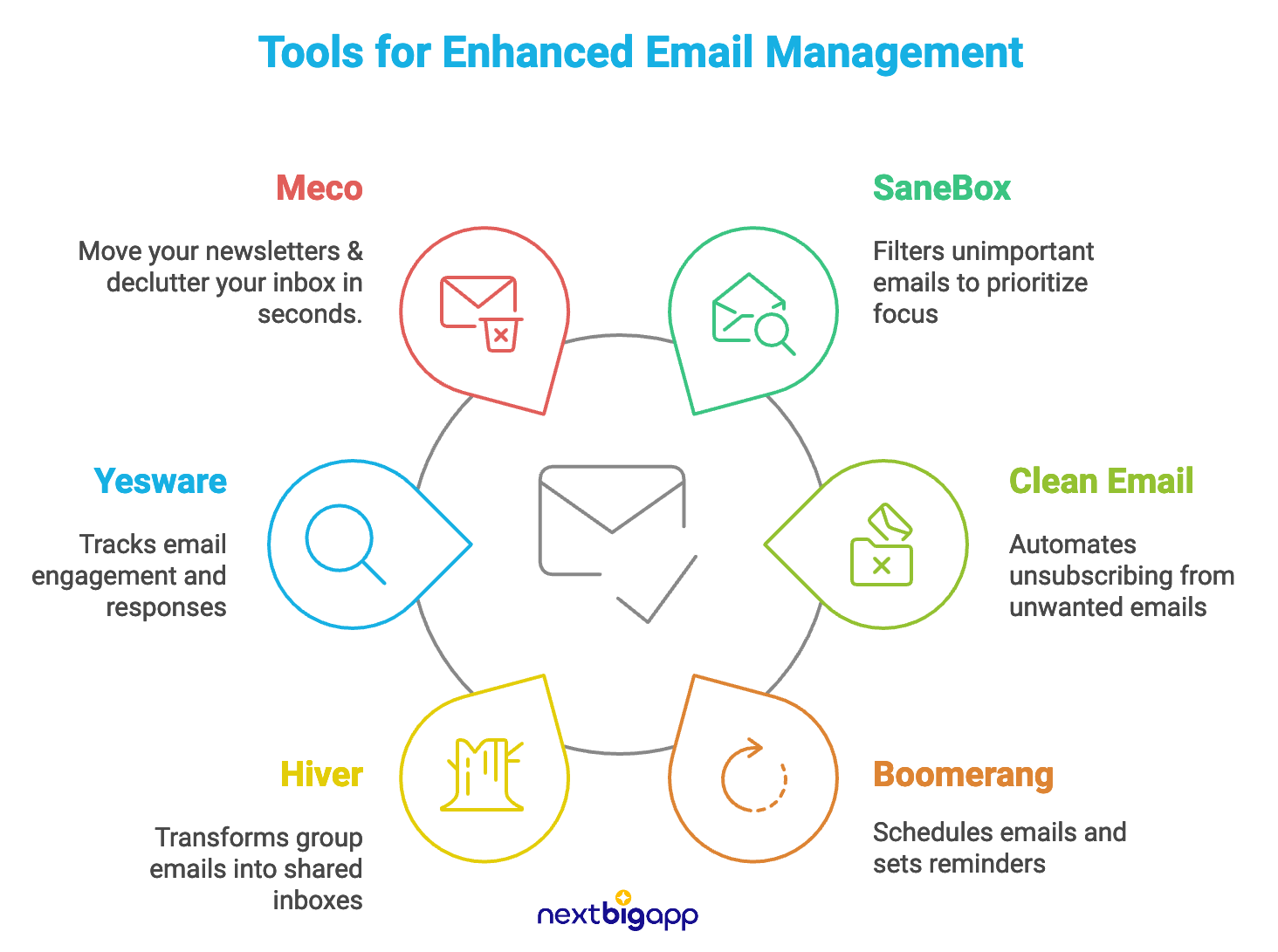
For Email Overload: SaneBox. Filters out unimportant emails so you can focus on what matters most.
For Organization Chaos: Clean Email. Helps you unsubscribe from unwanted emails automatically, keeping your inbox tidy.
For Time Drain: Boomerang. Lets you schedule emails and set reminders, so nothing slips through the cracks.
For Newsletter Clutter: Meco. Newsletter reader that integrates with Gmail, decluttering your inbox.
For Communication Mix-Ups: Hiver. Turns group emails into shared inboxes for better tracking and collaboration.
For Tracking Trouble: Yesware. Provides insights on email engagement and tracks responses effortlessly.
For Security Worries: Mail Manager. Offers secure archiving and access control for your sensitive emails.
For Integration Headaches: Zapier. Connects various apps to automate workflows involving email, making everything smoother.
For Collaboration Confusion: Slack. Integrates with email for seamless team communication and updates.
With these tools in your corner, you’ll be well-equipped to tackle your email challenges head-on!
Clever Email Automations
When it comes to managing emails, clever automations can save you a ton of time and hassle.
Here’s a list of some innovative email automations that can help streamline your workflow and enhance productivity:
AI-Powered Reply Suggestions: Tools like Gmail's Smart Reply and Outlook's Suggested Replies use artificial intelligence to analyze the context of incoming emails and generate quick, relevant response options. This feature allows you to reply to emails with just a click, saving you time and effort.
Canned Responses: Many email clients, including Gmail and Outlook, allow you to create pre-written templates (canned responses) for frequently sent replies. You can draft common responses for questions you receive often (like pricing inquiries or meeting requests) and save them as templates. When a relevant email arrives, simply insert the template and customize it if needed before sending.
Automated Email Replies with Custom Triggers: Using tools like Zapier, you can set up workflows that automatically send predefined replies based on specific triggers in your email.
Smart Filtering: Tools like SaneBox use AI to automatically sort your emails into different folders based on their importance. This way, your inbox stays clutter-free, and you only see what truly matters.
Automated Follow-Ups: Platforms like Yesware allow you to set up automated follow-up emails. You can write your initial message, schedule follow-ups, and let the tool handle the rest—no more forgetting to check back in!
Email Scheduling: With tools like Boomerang, you can compose your emails and schedule them to send at the perfect time. This is especially handy for reaching recipients in different time zones.
Personalized Campaigns: Using platforms like Mailchimp, you can create automated email campaigns that send personalized messages based on user behavior, such as when they visit a specific page on your website.
Triggered Responses: Tools like HubSpot enable you to set up automated responses based on customer actions, such as sending a welcome email when someone subscribes to your newsletter.
Task Creation from Emails: With integrations like those in Mailbird, you can convert emails into tasks automatically. This way, nothing falls through the cracks, and you can manage your to-do list right from your inbox.
Email Analytics: Services like Yesware provide tracking features that let you see who opened your emails and when. This insight helps you refine your outreach strategies based on real data.
Unsubscribe Automation: Tools like Clean Email help automate the process of unsubscribing from newsletters and unwanted emails, keeping your inbox tidy without manual effort.
Segmentation and Targeting: Platforms such as Omnisend allow you to segment your audience and automate targeted email campaigns based on user behavior or preferences, ensuring relevant content reaches the right people.
AI-Powered Subject Lines: With tools like Brevo, you can use AI to generate catchy subject lines that improve open rates, making your emails stand out in crowded inboxes.
Daily Digest Summaries: Some tools provide daily summaries of your email activity, allowing you to quickly catch up on what’s important without wading through every message.
These automations not only enhance efficiency but also help maintain a more organized and responsive email management system. By leveraging these tools, you can focus more on what really matters—building relationships and getting work done!
So, what’s one tip you use to keep email in check?

💡 INSPIRING IDEAS:
“Don’t confuse activity with productivity. Many people are simply busy being busy.”
– Robin Sharma